| |

|
I'll be posting the little tidbits of coding I uncover in this thread for others to use! I know I promised this thread like a week ago, but better late than never? If you have any additional details you'd like to contribute to this list or have an idea for something that can be coded, PM me! I'll be updating this table of contents as I post codes. TOC 1. Manipulating the color of the stable page's featured horse tabs - Page 1 2. Making the featured horse area fully transparent when using a transparent palette - Page 1 3. Fade in animation - Page 1 4. Change the footer text - Page 1 5. Who's Online Popout - Page 2 |
|  |
|
| |
|
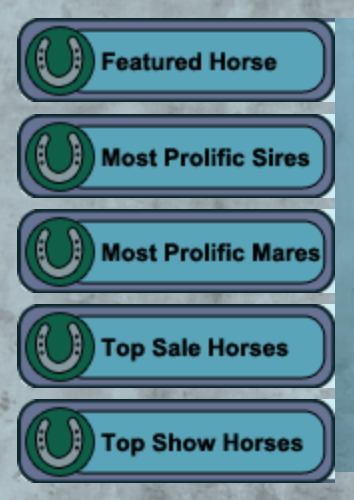
Manipulating the Color of the Featured Tabs ----------------------------- Each individual button is a seperate image numbered 1-5. Because they're already images, filter css properties must be applied. Filter properties that can be used include: blur() | brightness() | contrast() | drop-shadow() | grayscale() | hue-rotate() | invert() | opacity() | saturate() | sepia() | url() More information about what they individual do/how to manipulate them can be found here. Basic skeleton code: #Stable img[onmouseover] {
filter: filter effect here;
} Please keep in mind that because the images are already a default yellow/green you may not be able to achieve the exact color you're looking for. I haven't personally tried the url() option, so you may be able to provide your own background! You can stack filters to help achieve the look: #Stable img[onmouseover] {
filter: hue-rotate(100deg) grayscale(20%);
} My side project has been to uncover the coding for the ones located on an individual horse's page which I've abandoned for the time being. The last time I tried, it also tinted the horse's art as well. :P If I crack the code I'll share that in this post! |
| |
|
| |
|
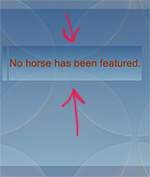
Making the Featured Horse Area Fully Transparent When Making a Transparent pgbg/tablebg ----------------------------- If you're confused as to what I'm talking about, I understand. xD >>>>>>>
---------------------------------------
Thank you, Sunset, for being my guinea pig <3 When using transparency in your pg, you may notice that the transparency also layers itself here and ruins the full transparency effect. Two pieces of code are needed to negate any impact. To combat that, .mainline.tablebg {
background: transparent; } .featuredscroll.tablebg {
background-color: transparent !important;
} If you're savy to css, you can also manipulate these tables to be different transparencies/colors/images! **BIG NOTE - Because .featuredscroll is also still .tablebg you may need to alter the code. If your css for .tablebg says background instead of background-color your .featuredscroll.tablebg must use the same wording. |
| |
|
| |
|
Fade In Animation donated by Diagon Alley Elites [268585] ----------------------------- To add in that neat fade in effect to any part of your palette, add in the following coding between the brackets of what you want to change: animation: fadeInAnimation ease 1s;
animation-iteration-count: 1;
animation-fill-mode: forwards;
}
@keyframes fadeInAnimation {
0% {
opacity: 0;
}
100% {
opacity: 1;
} } The time highlighted in red can be changed to dictate the total time it takes the selected code to fade to 100%! |
| |
|
| |
|
Changing the Footer Text
----------------------------- 
Pretty simple. Use the coding below and edit in your choice of font/color/size: .footergrey { font-family: times; font-size: 12px; color: #1a3e4c;
}
.footergrey a:link { font-family: times; font-size: 12px; color: #1a3e4c;}
.footergrey a:hover { font-family: times; font-size: 12px; color: #1a3e4c;}
.footergrey a:visited { font-family: times; font-size: 12px; color: #1a3e4c;} |
| |
|
| |

|
LostCause said:
Manipulating the Color of the Featured Tabs ----------------------------- Each individual button is a seperate image numbered 1-5. Because they're already images, filter css properties must be applied. Filter properties that can be used include: blur() | brightness() | contrast() | drop-shadow() | grayscale() | hue-rotate() | invert() | opacity() | saturate() | sepia() | url() More information about what they individual do/how to manipulate them can be found here. Basic skeleton code: #Stable img[onmouseover] {
filter: filter effect here;
} Please keep in mind that because the images are already a default yellow/green you may not be able to achieve the exact color you're looking for. I haven't personally tried the url() option, so you may be able to provide your own background! You can stack filters to help achieve the look: #Stable img[onmouseover] {
filter: hue-rotate(100deg) grayscale(20%);
} My side project has been to uncover the coding for the ones located on an individual horse's page which I've abandoned for the time being. The last time I tried, it also tinted the horse's art as well. :P If I crack the code I'll share that in this post!
Where do we add this? |
|  |
|
| |
|
Weeping Willow Ranch said:
LostCause said:
Manipulating the Color of the Featured Tabs ----------------------------- Basic skeleton code: #Stable img[onmouseover] {
filter: filter effect here;
}
Where do we add this?
Wherever in the css should be fine! |
| |
|
| |
|
Alright, thanks! Is it the same for the other things? |
| |
|
| |
|
Weeping Willow Ranch said:
Alright, thanks! Is it the same for the other things?
Fade in animation must be placed within the brackets of whichever part it is of the palette you want to fade in. The current others are standalone. |
| |
|
| |
|
|

 Sunny
Sunny