| |

|
Hi everyone! I need help figuring out how to do water reflections etc I use gimp but i honestly dont even know where to start... If anyone could help me it would be greately appreciated, im trying really hard to expand my horizons of capibilites. Thank - you! Also image examples of already finished pieces would be helpful to look at as well! |
|
|
| |

|
AestheticcEquine said:
Hi everyone! I need help figuring out how to do water reflections etc I use gimp but i honestly dont even know where to start... If anyone could help me it would be greately appreciated, im trying really hard to expand my horizons of capibilites. Thank - you! Also image examples of already finished pieces would be helpful to look at as well!
Hi! I'm not really much of an artist, but I've been here on this game for long enough to know that it's pretty common. I don't want to link others' image without getting their approval first, but there are plently of artwork including this! Check out some of the T1 and T2 art shops, and the chances are, you'll find something about water reflections there! |
|
|
| |
|
Thanks Moon! Believe it or not i think i mainly figured it out after i posted this lol Nothing like jinxing yourself right? |
|
|
| |

|
I'm not sure how Gimp works. It is still intimidating and difficult to figure out, in my opinion at least. I can give you the basic idea. I just duplicate the folder containing all the layers that make up the horse (hair, hooves, drawn-on tack, etc.) and flip it. Then, you play around with the transparency to make it look reflection-y. For water, maybe draw in some ripples to add realism. It's the exact same thing I'd do for shadows, except I wouldnt use a filter that makes it all black. This piece is ancient, but you get the idea. |
|  |
|
| |

|
As a fellow gimp user I may be able to help! Like what floresta said, I usually duplicate the horse layer/s, flip it and line it up with where the horse touches the water and play with the transparency. Gimp does have a very handle tool to create ripples for you, it just takes a bit of fiddling. You'll find it under Filters>Distorts>Ripples (a few of the other distorts like waves can also be helpful. However, sometimes the result can end up looking a bit too uniform so I'll go in and smudge or I won't use it at all and I'll use a smudge with a high rate/opacity to sort of move the horse around but trying not to muddy the colors too much. This is an example I did by smudging it myself, I find this works better when you have choppy/wavy water - still water looks better with the uniform ripples gimp makes. 
|
|  |
|
| |
|
Thank you Floresta!
Floresta said:
I'm not sure how Gimp works. It is still intimidating and difficult to figure out, in my opinion at least. I can give you the basic idea. I just duplicate the folder containing all the layers that make up the horse (hair, hooves, drawn-on tack, etc.) and flip it. Then, you play around with the transparency to make it look reflection-y. For water, maybe draw in some ripples to add realism. It's the exact same thing I'd do for shadows, except I wouldnt use a filter that makes it all black. This piece is ancient, but you get the idea.
|
|
|
| |
|
Thank you silver! I tried doing the ripple effect and because its literally the whole horse it was a little too much. I picked a horse that was standing perfectly still so i dont have to add too much movement and in turn used the Wave Option: Tools/Transform Tools/Waves. It actually looks quite nice! But i can see how the Ripple effect would be more useful on a high movement stock piece!
SilverFern Stables said:
As a fellow gimp user I may be able to help! Like what floresta said, I usually duplicate the horse layer/s, flip it and line it up with where the horse touches the water and play with the transparency. Gimp does have a very handle tool to create ripples for you, it just takes a bit of fiddling. You'll find it under Filters>Distorts>Ripples (a few of the other distorts like waves can also be helpful. However, sometimes the result can end up looking a bit too uniform so I'll go in and smudge or I won't use it at all and I'll use a smudge with a high rate/opacity to sort of move the horse around but trying not to muddy the colors too much. This is an example I did by smudging it myself, I find this works better when you have choppy/wavy water - still water looks better with the uniform ripples gimp makes.
|
|
|
| |
|
Ah that sounds great! Yeah it definitely comes down tp the individual stock and it often takes a bit of fiddling with different tools - I'm glad you figured it out :)
AestheticcEquine said:
Thank you silver! I tried doing the ripple effect and because its literally the whole horse it was a little too much. I picked a horse that was standing perfectly still so i dont have to add too much movement and in turn used the Wave Option: Tools/Transform Tools/Waves. It actually looks quite nice! But i can see how the Ripple effect would be more useful on a high movement stock piece!
SilverFern Stables said:
As a fellow gimp user I may be able to help! Like what floresta said, I usually duplicate the horse layer/s, flip it and line it up with where the horse touches the water and play with the transparency. Gimp does have a very handle tool to create ripples for you, it just takes a bit of fiddling. You'll find it under Filters>Distorts>Ripples (a few of the other distorts like waves can also be helpful. However, sometimes the result can end up looking a bit too uniform so I'll go in and smudge or I won't use it at all and I'll use a smudge with a high rate/opacity to sort of move the horse around but trying not to muddy the colors too much. This is an example I did by smudging it myself, I find this works better when you have choppy/wavy water - still water looks better with the uniform ripples gimp makes.
|
| |
|
| |
|
Slowly getting there! hahaha
SilverFern Stables said:
Ah that sounds great! Yeah it definitely comes down tp the individual stock and it often takes a bit of fiddling with different tools - I'm glad you figured it out :)
AestheticcEquine said:
Thank you silver! I tried doing the ripple effect and because its literally the whole horse it was a little too much. I picked a horse that was standing perfectly still so i dont have to add too much movement and in turn used the Wave Option: Tools/Transform Tools/Waves. It actually looks quite nice! But i can see how the Ripple effect would be more useful on a high movement stock piece!
SilverFern Stables said:
As a fellow gimp user I may be able to help! Like what floresta said, I usually duplicate the horse layer/s, flip it and line it up with where the horse touches the water and play with the transparency. Gimp does have a very handle tool to create ripples for you, it just takes a bit of fiddling. You'll find it under Filters>Distorts>Ripples (a few of the other distorts like waves can also be helpful. However, sometimes the result can end up looking a bit too uniform so I'll go in and smudge or I won't use it at all and I'll use a smudge with a high rate/opacity to sort of move the horse around but trying not to muddy the colors too much. This is an example I did by smudging it myself, I find this works better when you have choppy/wavy water - still water looks better with the uniform ripples gimp makes.
|
|
|
| |
|
Here is the work in progress :) 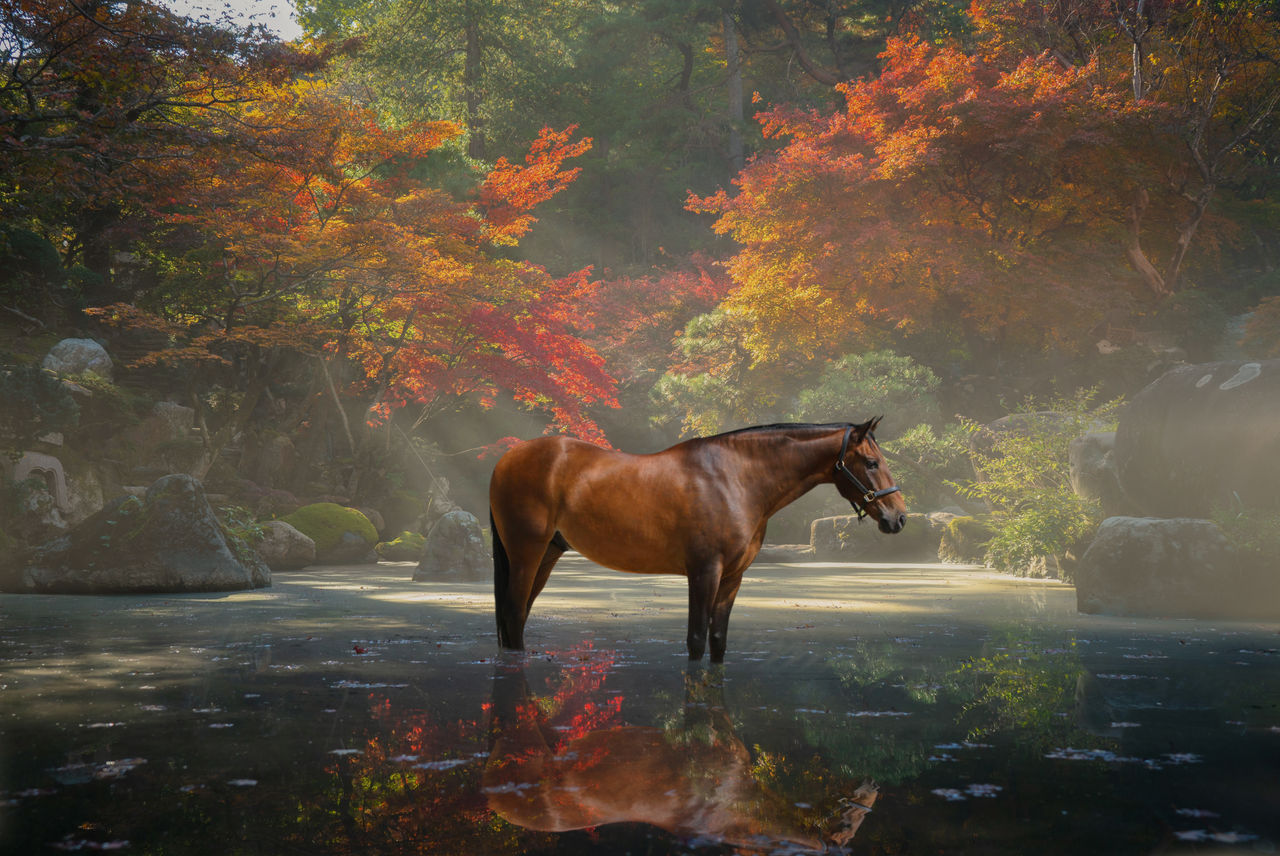
SilverFern Stables said:
Ah that sounds great! Yeah it definitely comes down tp the individual stock and it often takes a bit of fiddling with different tools - I'm glad you figured it out :)
AestheticcEquine said:
Thank you silver! I tried doing the ripple effect and because its literally the whole horse it was a little too much. I picked a horse that was standing perfectly still so i dont have to add too much movement and in turn used the Wave Option: Tools/Transform Tools/Waves. It actually looks quite nice! But i can see how the Ripple effect would be more useful on a high movement stock piece!
SilverFern Stables said:
As a fellow gimp user I may be able to help! Like what floresta said, I usually duplicate the horse layer/s, flip it and line it up with where the horse touches the water and play with the transparency. Gimp does have a very handle tool to create ripples for you, it just takes a bit of fiddling. You'll find it under Filters>Distorts>Ripples (a few of the other distorts like waves can also be helpful. However, sometimes the result can end up looking a bit too uniform so I'll go in and smudge or I won't use it at all and I'll use a smudge with a high rate/opacity to sort of move the horse around but trying not to muddy the colors too much. This is an example I did by smudging it myself, I find this works better when you have choppy/wavy water - still water looks better with the uniform ripples gimp makes.
|
|
|

 Steady Rain all Day

