| |
|
How do you keep the quality for manips when sizing down? When (for an example) Jello says "click for quality - it's massive," how does she/anyone keep the quality when sizing down for avatars, bio, or banners? |
|
|
| |
|
I'm also interested because my method seems to have limits xD What I do is I convert the whole piece into a smart object before resizing and that makes it lose less quality. I also try to not work in a size larger than 1500 pixels both ways so that I wouldn't have to resize too much in the end. But I'm eager to hear what others are doing as this method sometimes produces failures x) |
|  |
|
| |
|
HRS said:
I'm also interested because my method seems to have limits xD What I do is I convert the whole piece into a smart object before resizing and that makes it lose less quality. I also try to not work in a size larger than 1500 pixels both ways so that I wouldn't have to resize too much in the end. But I'm eager to hear what others are doing as this method sometimes produces failures x)
How do you convert it into a smart object? I haven't heard of that before. |
|
|
| |
|
I'm using Phitoshop. I select all the layers, then right click -> concert to smart object. Very simple. If I want to change anything after the resizing is done the whole art will be on one laywr though. And to change stuff on it the layer has to be rasterized once again. Right click on the layer -> rasterize layer. |
| |
|
| |
|
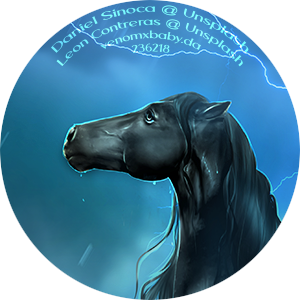
On Photoshop there is an amazing feature that allows you to save the image for web. It cuts down the size while trying to keep the quality. It's on file > export > save for web. What I do is, I work on the big image first, then I make a new one with the size for HEE. Then I move the image to this new size and make the cute I want. That's when I save for web. The results are quite good to be fair xD See my stable avatar. I did it using that option, as it doesn't look grainy or anything. |
|  |
|
| |
|
Shivering Sea said:
On Photoshop there is an amazing feature that allows you to save the image for web. It cuts down the size while trying to keep the quality. It's on file > export > save for web. What I do is, I work on the big image first, then I make a new one with the size for HEE. Then I move the image to this new size and make the cute I want. That's when I save for web. The results are quite good to be fair xD See my stable avatar. I did it using that option, as it doesn't look grainy or anything.
Alright I'm currently using Gimp, but I think I understand what you're saying and will try that. Thank you!
HRS said:
I'm using Phitoshop. I select all the layers, then right click -> concert to smart object. Very simple. If I want to change anything after the resizing is done the whole art will be on one laywr though. And to change stuff on it the layer has to be rasterized once again. Right click on the layer -> rasterize layer.
Thanks HRS! |
|
|
| |
|
Well, I can already tell you from experience that GIMP has terrible quality issues. While it's a good program to learn, I wouldn't recommend it. It's years light compared to photoshop. |
| |
|
| |
|
I work off of procreate and I found a decent way to keep the quality of the larger images I work off of. I work with a large image and save it to my iPad( I save all my images as in png format). I then crop it to make sure it's the right size for the piece I am making with it. Then import the image onto the correctly sized canvas and make sure it fits properly. This generally makes the image a little fuzzy so I sharpen it and add final detail and credits. The file sizes after this are usually good for banners and stable Avis. For the horse avatars I use this website: Tiny PNG to compress the file size and it does a pretty good job of keeping quality, and lets you know what the file size is :) hope this helps! Sorry for how terribly written it is but if you have any question fell free to message me at stable # 260961 (I'm most active on there)! |
|
|
| |

|
The Sven Seas said:
I work off of procreate and I found a decent way to keep the quality of the larger images I work off of. I work with a large image and save it to my iPad( I save all my images as in png format). I then crop it to make sure it's the right size for the piece I am making with it. Then import the image onto the correctly sized canvas and make sure it fits properly. This generally makes the image a little fuzzy so I sharpen it and add final detail and credits. The file sizes after this are usually good for banners and stable Avis. For the horse avatars I use this website: Tiny PNG to compress the file size and it does a pretty good job of keeping quality, and lets you know what the file size is :) hope this helps! Sorry for how terribly written it is but if you have any question fell free to message me at stable # 260961 (I'm most active on there)!
Thanks The Sven Seas, I use Procreate and PS but it's nice to see a solution with Procreate :) |
|  |
|

 Light Rain then Clearing Overnight


